
Pinterest Character
Counter
Type or paste your pin copy and see instantly whether it fits Pinterest’s limits — and how much of it people will actually see in the feed.
- No sign-up
- No watermark
- Free to use
Your result will appear here
Type or paste text; counting happens in your browser.
Last updated · Reviewed by the PinSaveHD team · How we check facts
The PinSaveHD Character Counter checks your pin text against Pinterest’s limits as you type. Pinterest allows up to 100 characters in a pin title, and the first 40 may show in feeds. Descriptions allow up to 800 characters. This tool runs in your browser. Your text or files are not uploaded.
Key facts
- Title: up to 100 characters; the first 40 may show in feeds.
- Description: up to 800 characters.
- Double-byte languages show about the first 30 title characters.
- This tool runs in your browser. Your text or files are not uploaded.
How do I use the Character Counter?
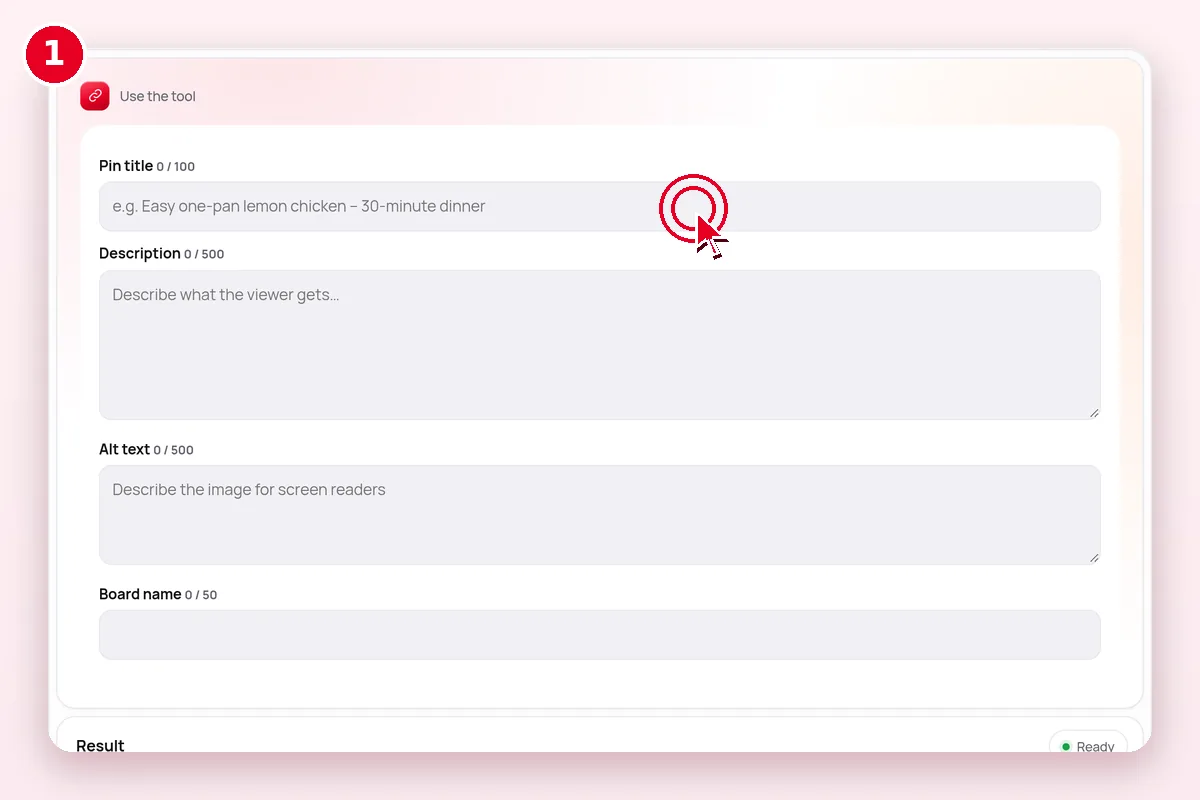 1
Paste your copy
Title, description, alt text or board name.
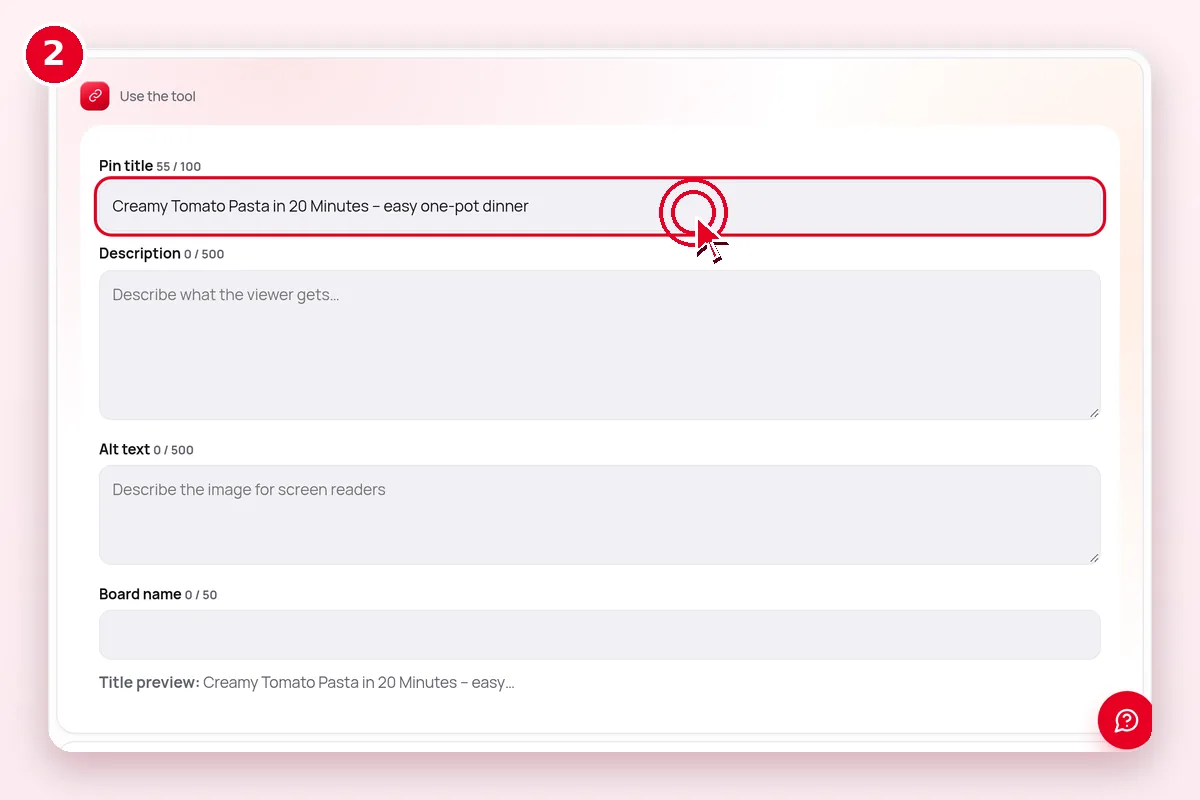 2
Watch the counters
Each field turns red past Pinterest’s limit.
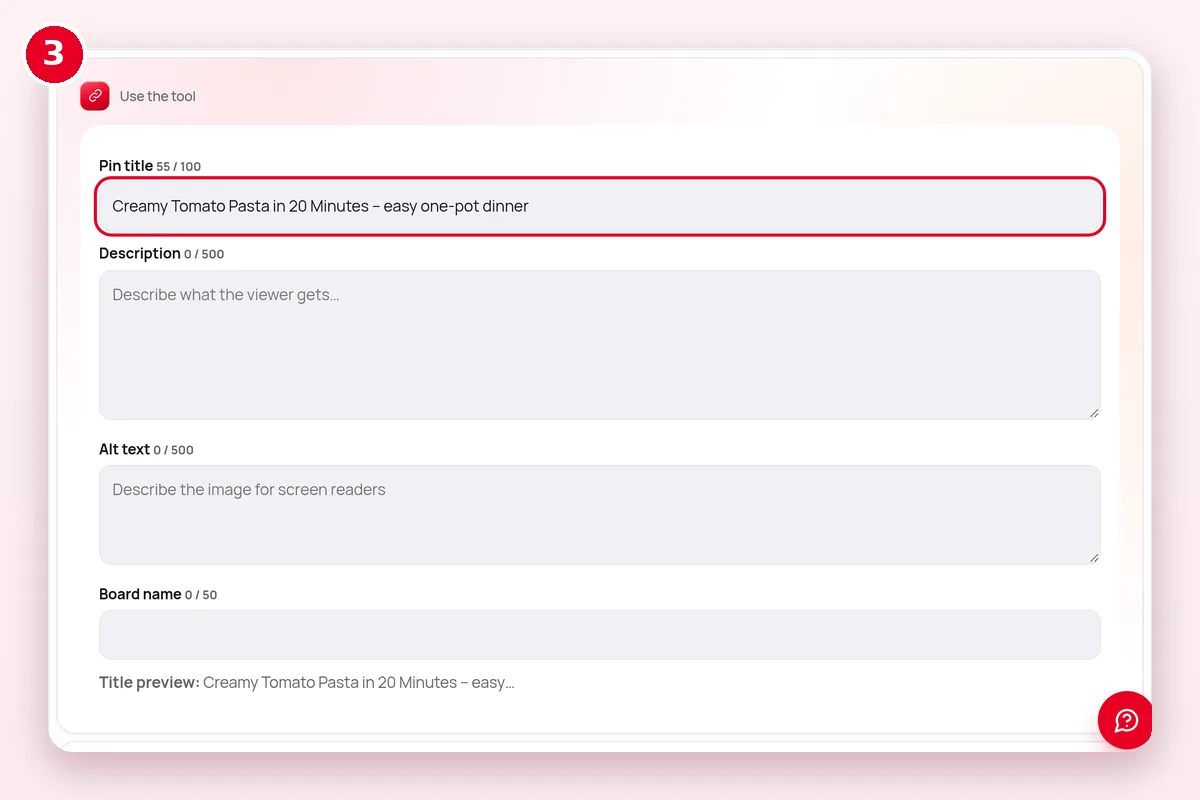 3
Trim the preview
See the part most feeds show and front-load keywords.
What does the Character Counter do?
| Question | Answer |
|---|---|
| What goes in? | Your title, description or alt text |
| What comes out? | Live character counts vs limits |
| Where does it run? | In your browser |
| Cost | Free, no account |
| Limits | Public Pinterest content only |
How long can a Pinterest title and description be?
| Field | Limit | Shown in feed |
|---|---|---|
| Pin title | 100 characters | First ~40 characters (about 30 for double-byte languages) |
| Description | 800 characters | Not shown in feeds; used for relevance |
| Idea Pin page text | 250 characters | On the page |
Source: Pinterest Business Help – ad and Pin specs.
What if it doesn’t work?
| Symptom | Likely cause | Fix |
|---|---|---|
| Nothing happens | JavaScript blocked or an old browser | Update the browser and allow scripts for this site |
| Pin link not accepted | Search, ideas or private link | Open the single pin and copy its /pin/ link |
| Result looks blurry | Small source image | Start from the original image, not a preview |
| Download button does nothing on iPhone | Safari opened the file in a tab | Tap Share → Save to Files |
Related Pinterest tools
 Media ConverterWebP→JPG/PNG · MP4→GIF
 pin.it ExpanderUnshorten pin.it links
 Caption & HashtagsCopy text & tags
 Pin Metadata ViewerEvery public field of a pin
 Video Size & Cover MakerCheck specs, make a 2:3 cover
 Pin CreatorMagic Pin, 120+ templates, 35 fonts and text effects — free, in your browser.Pin Image Resizer1000×1500 & all pin sizes
Explore: all Pinterest tools · creator tools · guides · FAQ hub · how-to guide · Pinterest glossary · use cases · blog
Guides for this tool
More on writing and growing on pinterest:
- Pinterest SEO 2026: Keywords, Titles, Descriptions
- Pin Titles and Descriptions: Limits and Examples
- Pinterest for Small Business: A Starter Plan
- Pinterest Video Pin Specs 2026: Length, Ratio, Size
Questions? See the Pinterest downloader FAQ or download troubleshooting.
Frequently asked questions
How long can a Pinterest title be?
Up to 100 characters. Depending on the device, only the first 40 may show in feeds, so put the key words first.
How long can a Pinterest description be?
Up to 800 characters, according to Pinterest’s specs page.
Is this tool free?
Yes. Every PinSaveHD tool is free and needs no account.
Do I need a Pinterest account?
No. You never sign in to Pinterest through us.
Do I need to install anything?
No. It works in any modern browser on phone or computer.
Pinterest facts on this page come from Pinterest’s official specs page. Copyright: Pinterest copyright policy.