
Pinterest GIF
Downloader
Save animated GIF pins as genuine .gif files. If a “GIF” is stored as a video loop, grab the MP4 or convert it into a real GIF.
- No sign-up
- No watermark
- Free to use
Paste a public Pinterest link above to see download options
Works with public pins from pinterest.com (all country domains) and pin.it share links. Press Enter or tap the button to start.
Last updated · Reviewed by the PinSaveHD team · How we check facts
The PinSaveHD GIF Downloader saves animated GIF pins from Pinterest. Paste the pin link and tap Download. You get the real .gif file when Pinterest stores one, and often a smaller looping MP4 too. To turn a normal video into a GIF, press GIF in the file list; it is made in your browser.
Key facts
- Saves the original .gif when the pin has one.
- Many GIF pins also have a looping MP4, which is smaller.
- MP3 extraction and MP4 → GIF run in your browser, so your file never leaves your device. Limits: videos up to 150 MB, GIFs up to 15 seconds.
- Only public pins work. Private boards, secret boards and deleted pins cannot be saved.

How do I use the GIF Downloader?
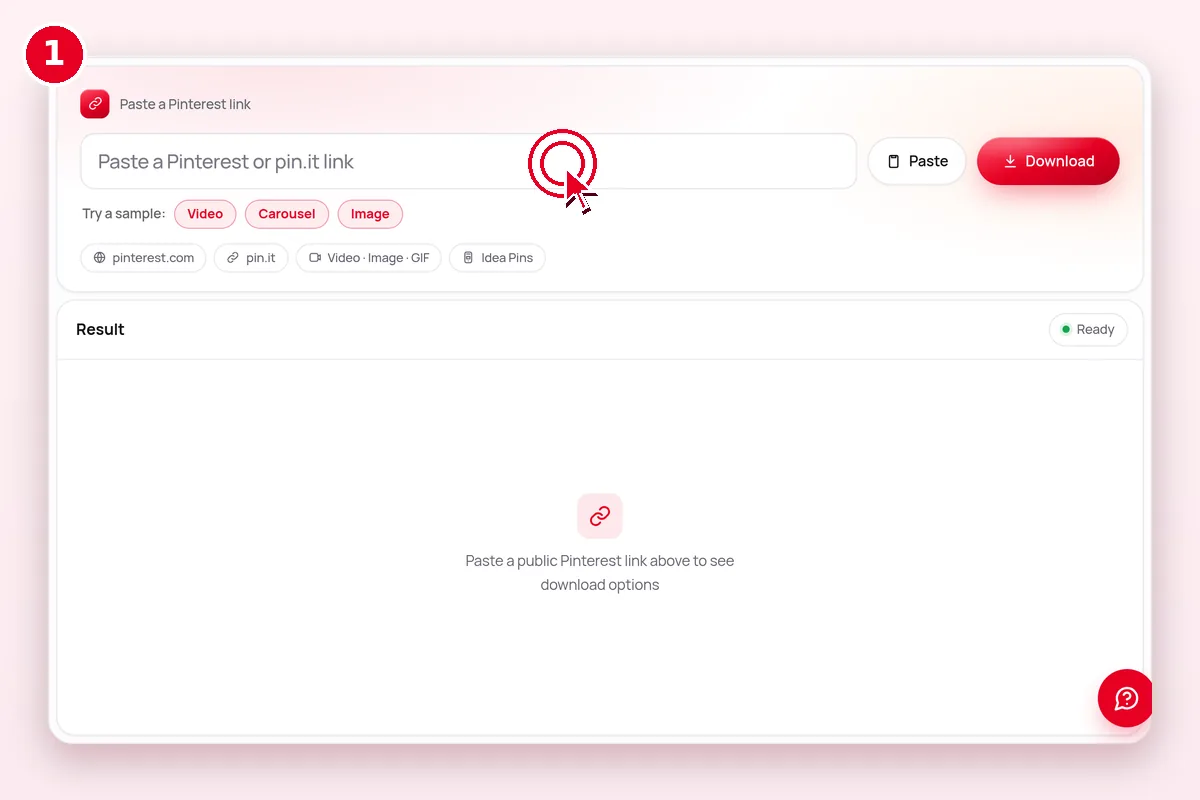 1
Copy the pin link
In the Pinterest app tap Share → Copy link, or copy the address bar on desktop. pin.it short links work too.
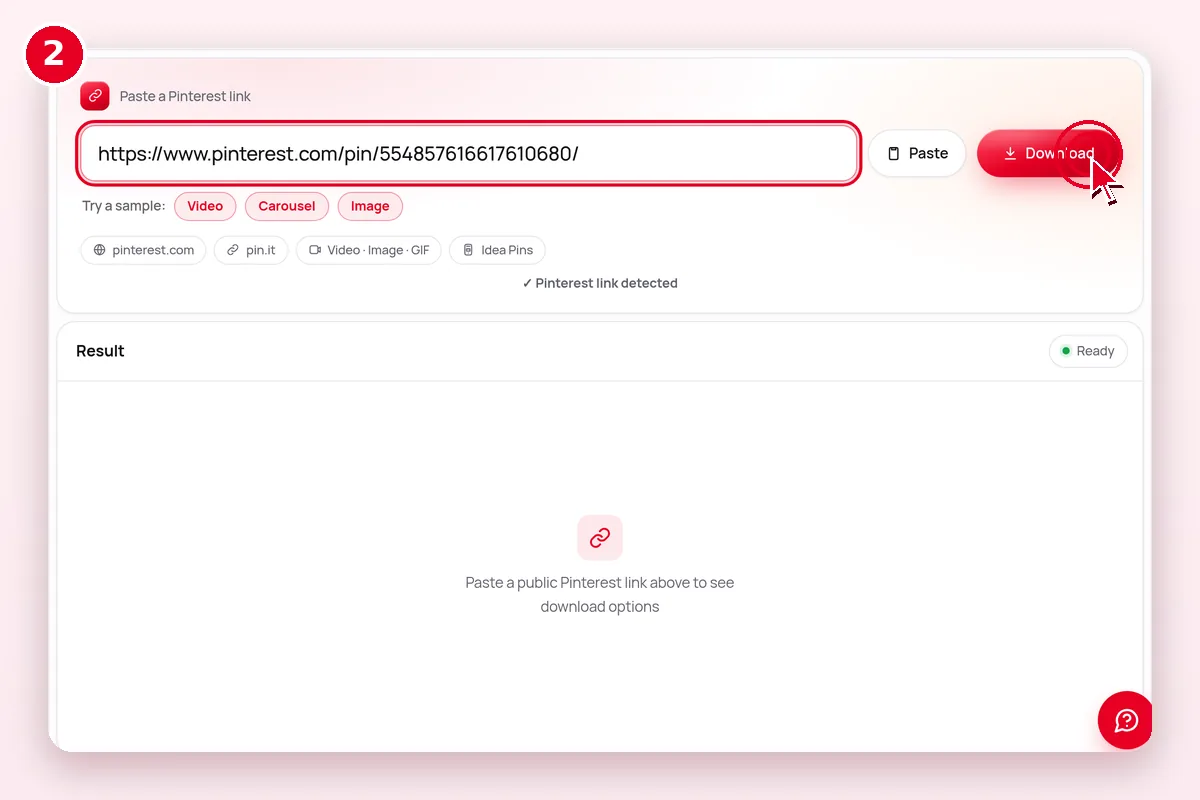 2
Paste it above
Drop the link into the box and press Download. We read the public pin in about a second.
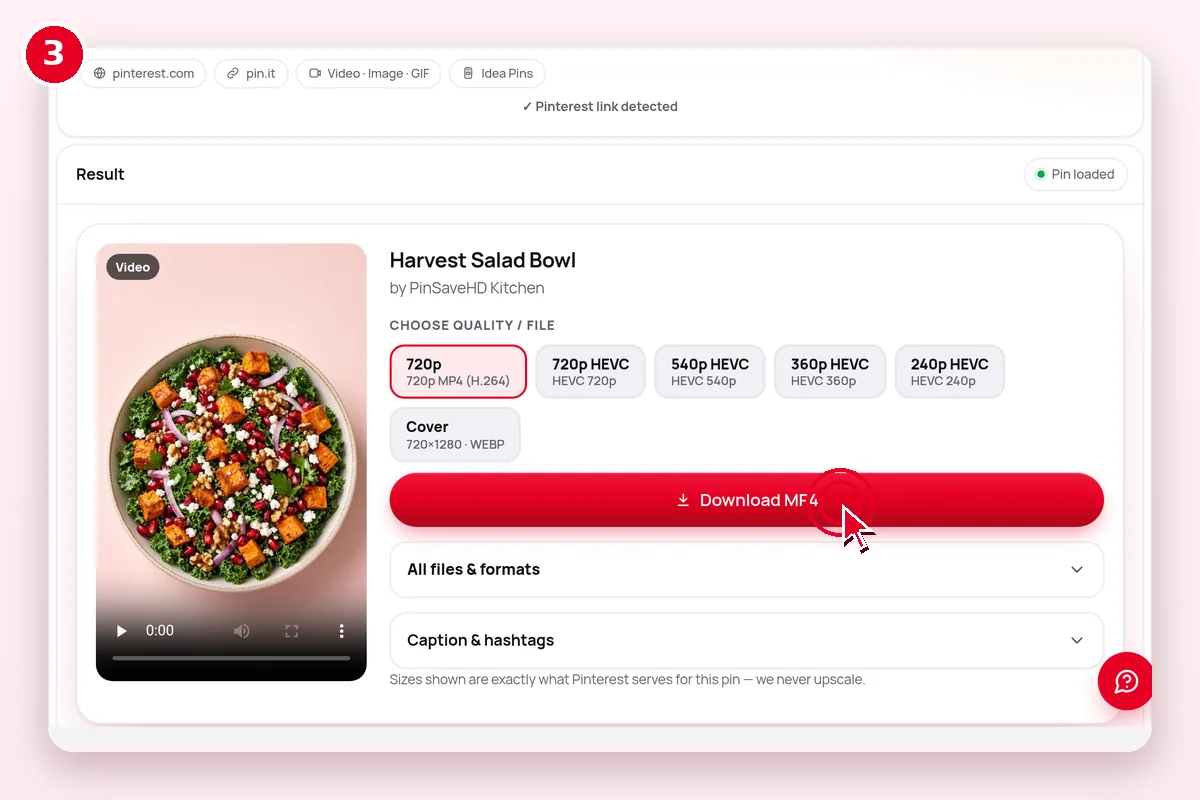 3
Pick a file & save
Choose the format and the real resolution you want. The file saves straight to your device.
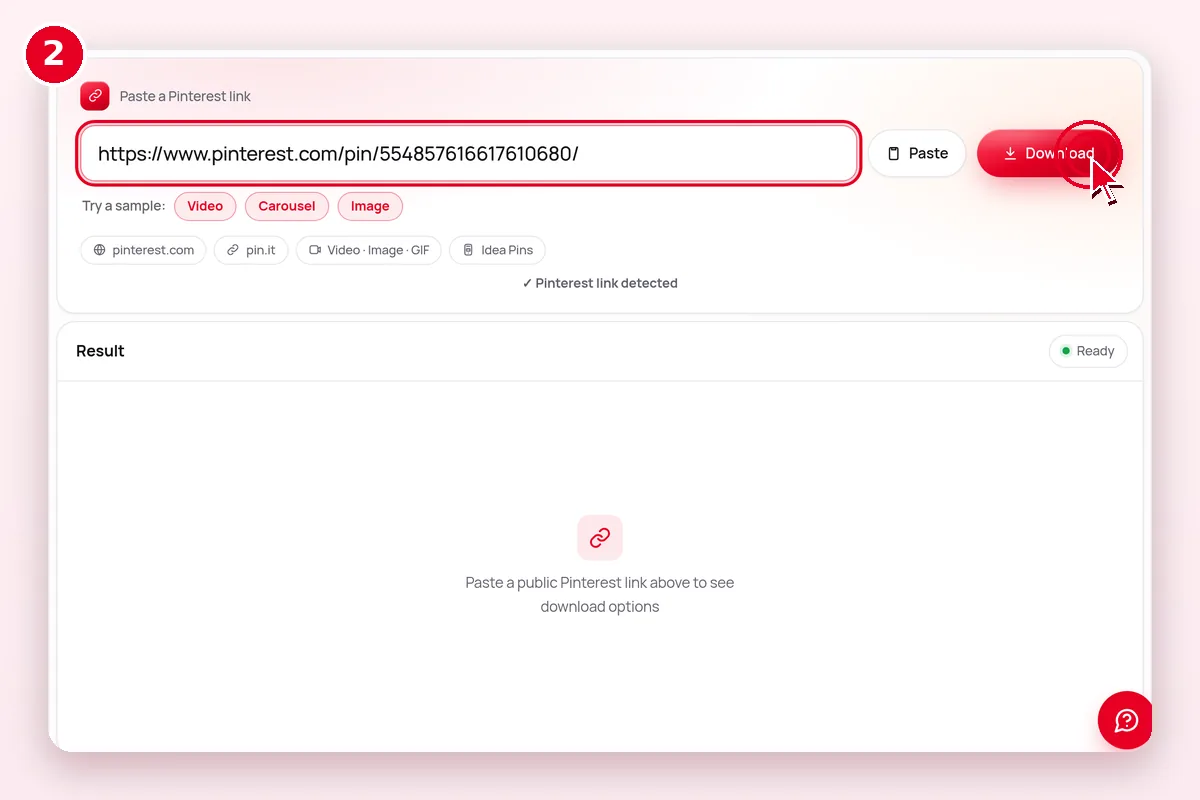 1–2. Paste the pin address and press Enter
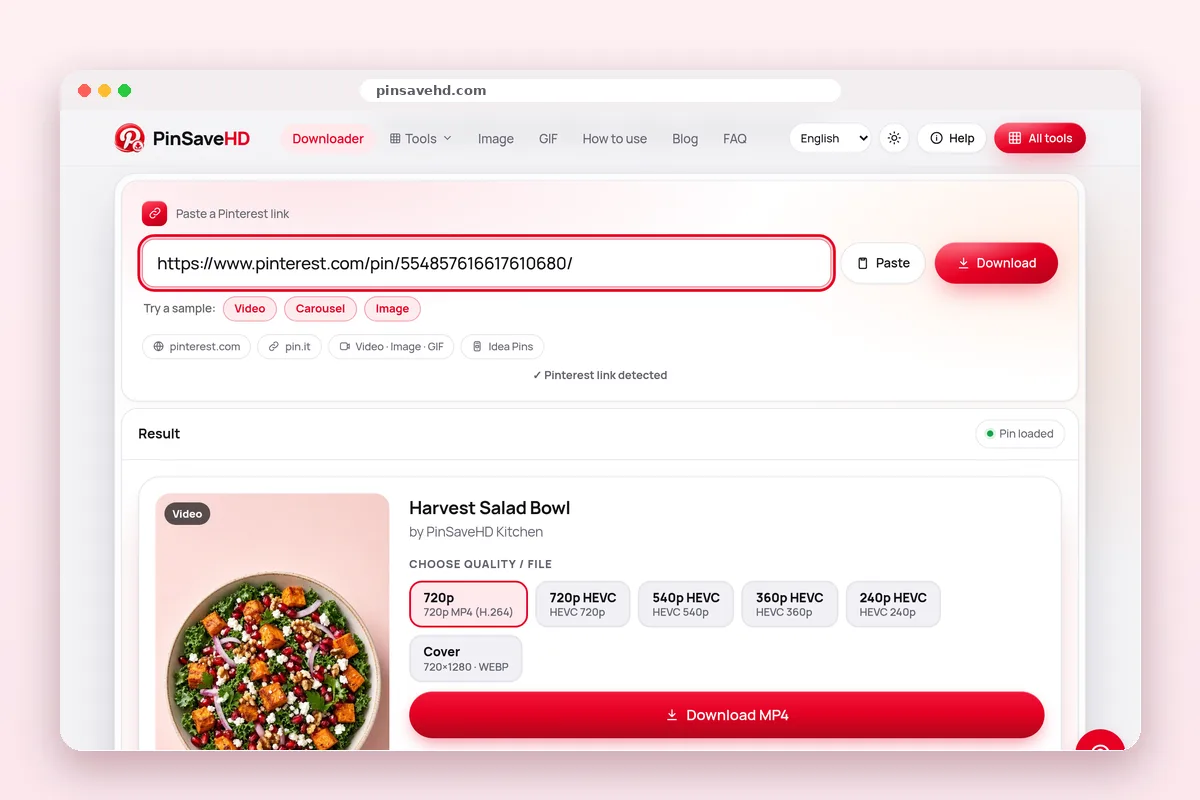 3. Click Download next to the size you want
What can I download from Pinterest?
Each kind of pin gives you a different file. PinSaveHD detects the type for you.
| Pin type | What you get | File format | Size | Best tool |
|---|---|---|---|---|
| Video pin | The video with sound | MP4 (H.264, sometimes HEVC) | Often up to 720p; some 1080p | Video Downloader |
| Image pin | The original upload | JPG, PNG or WebP | Original size (not the 736px preview) | Image Downloader |
| GIF pin | The animation | GIF, or a looping MP4 | As uploaded | GIF Downloader |
| Idea Pin | Each page as a file | MP4 or image per page | Per page | Idea Pin Downloader |
| Carousel | Each slide as a file | JPG, PNG or WebP | Per slide | Carousel Downloader |
| Board / profile | Recent public pins | ZIP made in your browser | About 50 pins | Board Downloader |
What quality will I get?
You get exactly what Pinterest stores. Most videos top out at 720p, and some at 1080p. Pinterest does not keep 4K copies.
- 240pSmall preview
- 360p
- 480p
- 720pMost common top size
- 1080pOnly if uploaded in HD
- 4KNot stored by Pinterest
| File option | What it means | Plays or opens on | Choose it when |
|---|---|---|---|
| MP4 · H.264 | Standard video file | Every phone, computer and editor | You want it to just work (default) |
| MP4 · HEVC (H.265) | Same look, smaller file | Recent iPhones, Macs, most new Android; Windows may need an extension | You want to save space |
| HLS (.m3u8) | A streaming playlist, not one file | Video players only | Not offered; we list the direct MP4 instead |
| JPG / PNG / WebP | Original image file | Everywhere (WebP: modern apps) | Saving image pins; convert WebP if needed |
| Cover JPG | Still thumbnail of a video | Everywhere | Mood boards and previews |
Sizes are read from the actual files. PinSaveHD never upscales or relabels a file as “4K”.
How do I save it on iPhone, Android or a computer?
| Device | 1. Copy the link | 2. Where the file goes | Tip |
|---|---|---|---|
| iPhone / iPad | Pin → Share → Copy link | Files › Downloads (Safari) | Open the file, tap Share → Save Video/Image for Photos. iPhone guide |
| Android | Pin → Share → Copy link | Downloads folder, shows in Gallery | Use Chrome. Android guide |
| Windows / Mac | Copy the address bar URL | Downloads folder | Press Enter after pasting. PC & Mac guide |
| Chromebook | Copy the address bar URL | Files › Downloads | Drag files to Google Drive to back them up. |
What works and what doesn’t?
| Content | Works? | Why |
|---|---|---|
| Public pins (pinterest.com, any country) | Yes | Visible to anyone without a login |
| pin.it short links | Yes | Expanded automatically |
| Public boards and profiles | Recent ~50 pins | Only what Pinterest shows logged-out visitors |
| Private / secret boards | No | Need a login; we never ask for one |
| Deleted pins | No | The files no longer exist |
| “4K” upgrades | No | Pinterest does not store 4K; we never upscale |
| MP3 audio, MP4 → GIF | Yes | Converted in your browser, up to 150 MB / 15 s GIF |
Why won’t my Pinterest video download?
- 1Is it a pin link?It must contain /pin/ or pin.it
- 2Is the pin public?Open it while logged out
- 3Too many tries?Wait 60 seconds, then retry
- 4Still failing?The pin may have been removed
| Symptom | Likely cause | Fix |
|---|---|---|
| “Not a valid Pinterest link” | Copied text, or a search / ideas page | Use Share → Copy link; the link must contain /pin/ or pin.it |
| “Pin not found” or private | Pin is private, secret or deleted | Open it while logged out; if it does not show, it cannot be saved |
| “Too many requests” | Fair-use limit (~30 lookups a minute) | Wait 60 seconds and try again |
| Video plays instead of saving | Safari or the browser opened the MP4 | iPhone: Share → Save to Files. Computer: right-click → Save video as |
| No sound | Pin has no audio, or app-added licensed music | Nothing to fix; licensed music is not in the public file |
| File will not open | HEVC or WebP not supported by the app | Pick the H.264 MP4, or convert WebP with the Media Converter |
More fixes: Download not working?
Related Pinterest tools
 Video DownloaderHD MP4 from any public pin
 Image DownloaderOriginal full-size photos
 Idea Pin / StoryEvery page of an Idea Pin
 Carousel DownloaderAll slides at once
 Board DownloaderWhole board → ZIP
 Profile DownloaderRecent pins of a user
Explore: all Pinterest tools · creator tools · guides · FAQ hub · how-to guide · Pinterest glossary · use cases · blog
Guides for this tool
More on pinterest images and formats:
- Pinterest File Formats: MP4, JPG, PNG, WebP, GIF
- Pinterest Image Sizes 2026: Cheat Sheet
- Turn Pinterest Pins Into Real Colour Palettes
- How to Find the Original Source of a Pinterest Image
Questions? See the Pinterest downloader FAQ or download troubleshooting.
Frequently asked questions
What are the size limits for MP3 and GIF?
Videos up to 150 MB can be converted. GIFs can be up to 15 seconds long, at 320, 480 or 640 pixels wide and 8 to 15 frames per second. Everything runs on your device, so a slow phone may take a minute for long videos.
How do I download a GIF from Pinterest?
Copy the GIF pin’s link, paste it into the box and tap Download. Choose the GIF file to keep the animation.
Why did I get an MP4 instead of a GIF?
Pinterest often plays GIFs as short looping MP4 videos. If the pin has a real .gif, it appears as its own option.
Can I turn a Pinterest video into a GIF?
Yes. Load a video Pin and press GIF in the file list, or upload your own MP4 in the Media Converter. Pick the start time, a length of up to 15 seconds, the width and frame rate; the GIF is made in your browser.
Is PinSaveHD free?
Yes. It is free, with no sign-up and no watermark. A fair-use limit of about 30 lookups a minute applies.
Can I download private Pinterest pins?
No. Only public pins work. Private boards, secret boards and deleted pins cannot be saved, and we never ask for a login.