
Pinterest Media
Converters
Convert Pinterest videos to GIF and images to JPG/PNG — from a pin link or from your own file.
- No sign-up
- No watermark
- Free to use
Video pin → GIF
Pin image → JPG / PNG
Your MP4 file → GIF
Your WebP/PNG/JPG → JPG / PNG (in your browser)
Runs entirely in your browser — the file never leaves your device.
Paste a public Pinterest link above to see download options
Works with public pins from pinterest.com (all country domains) and pin.it share links. Press Enter or tap the button to start.
Last updated · Reviewed by the PinSaveHD team · How we check facts
The PinSaveHD Media Converter turns WebP images into JPG or PNG inside your browser, so apps that refuse WebP can open them. Paste a pin link or pick a file and choose a format. You can also turn a video Pin or your own MP4 into an animated GIF, or pull its audio as MP3, all on your device.
Key facts
- WebP → JPG and WebP → PNG run in your browser.
- MP3 extraction and MP4 → GIF run in your browser, so your file never leaves your device. Limits: videos up to 150 MB, GIFs up to 15 seconds.
- JPG is smaller; PNG is lossless.
How do I use the Media Converter?
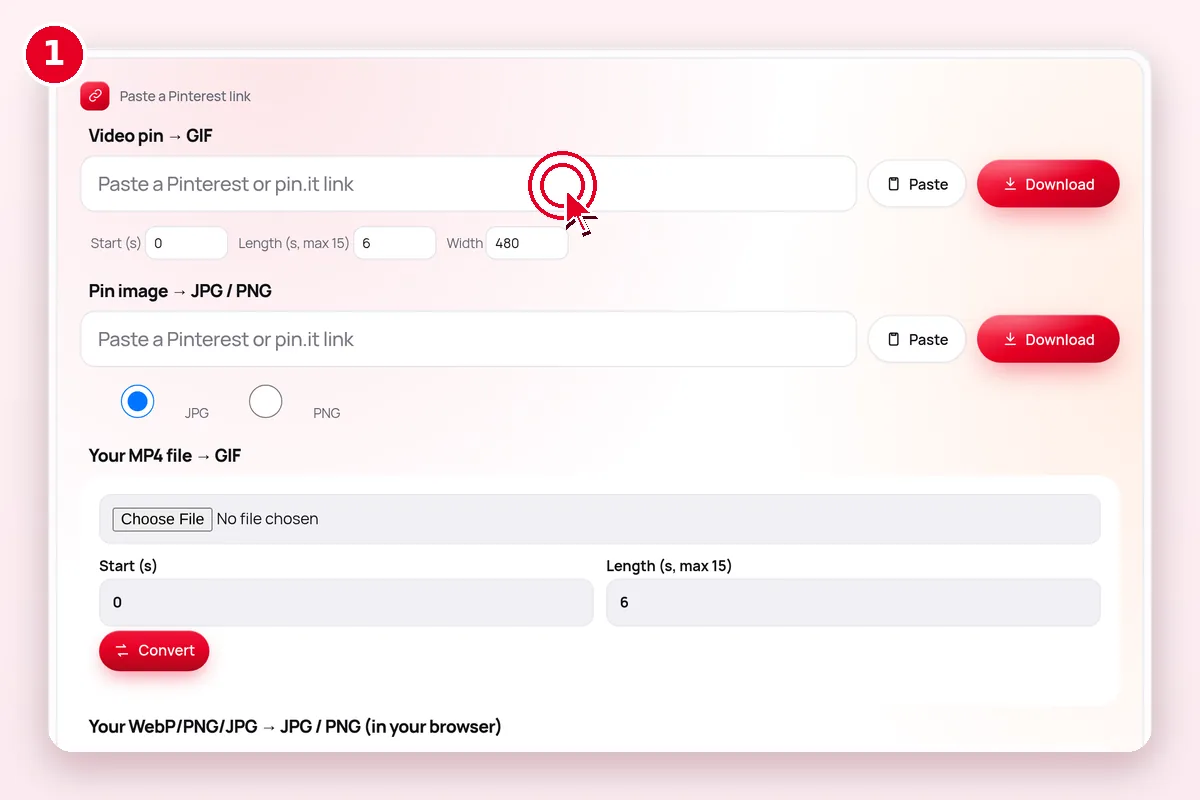 1
Pick a converter
Pin link → GIF/JPG/PNG, or your own file.
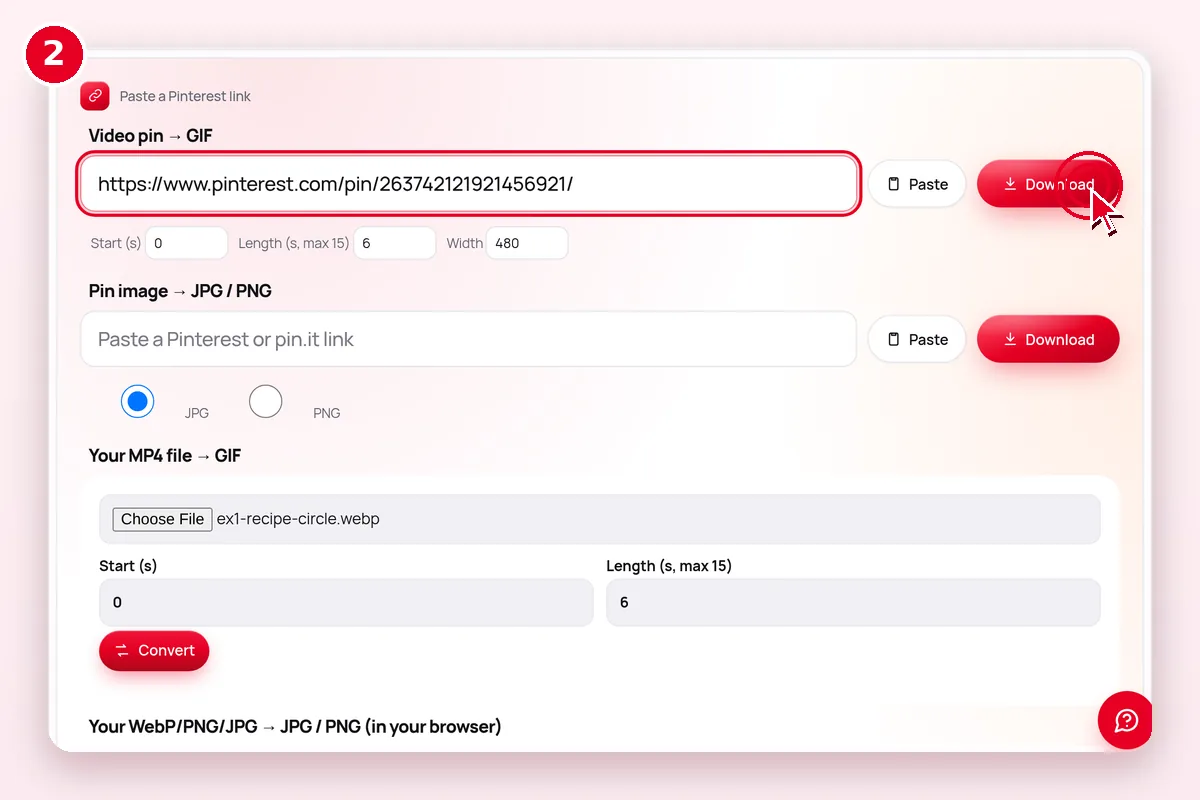 2
Paste or choose a file
Pin links and local files both work.
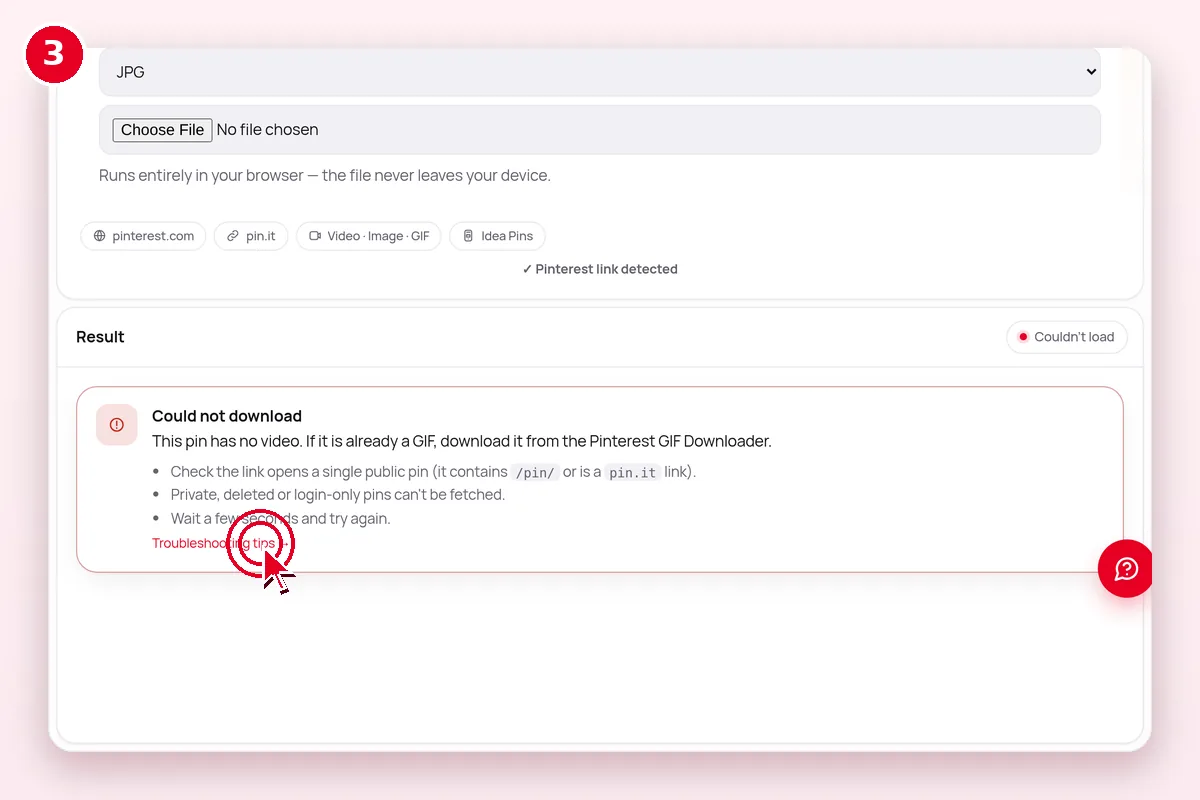 3
Download
The converted file downloads automatically.
What does the Media Converter do?
| Question | Answer |
|---|---|
| What goes in? | A WebP image or pin link |
| What comes out? | JPG or PNG file |
| Where does it run? | In your browser |
| Cost | Free, no account |
| Limits | Public Pinterest content only |
Which format should I pick?
| File option | What it means | Plays or opens on | Choose it when |
|---|---|---|---|
| MP4 · H.264 | Standard video file | Every phone, computer and editor | You want it to just work (default) |
| MP4 · HEVC (H.265) | Same look, smaller file | Recent iPhones, Macs, most new Android; Windows may need an extension | You want to save space |
| HLS (.m3u8) | A streaming playlist, not one file | Video players only | Not offered; we list the direct MP4 instead |
| JPG / PNG / WebP | Original image file | Everywhere (WebP: modern apps) | Saving image pins; convert WebP if needed |
| Cover JPG | Still thumbnail of a video | Everywhere | Mood boards and previews |
Sizes are read from the actual files. PinSaveHD never upscales or relabels a file as “4K”.
What if it doesn’t work?
| Symptom | Likely cause | Fix |
|---|---|---|
| Nothing happens | JavaScript blocked or an old browser | Update the browser and allow scripts for this site |
| Pin link not accepted | Search, ideas or private link | Open the single pin and copy its /pin/ link |
| Result looks blurry | Small source image | Start from the original image, not a preview |
| Download button does nothing on iPhone | Safari opened the file in a tab | Tap Share → Save to Files |
Related Pinterest tools
 Character CounterTitle, description & alt text limits
 Description GeneratorDraft pin titles from keywords
 Embed Code GeneratorEmbed pins & boards on your site
 Link CleanerStrip tracking from pin links
 Ideas Page HelperSave pins found on /ideas/ pages
 Answers & Search HelperSave pins found in search
Explore: all Pinterest tools · creator tools · guides · FAQ hub · how-to guide · Pinterest glossary · use cases · blog
Guides for this tool
More on pinterest images and formats:
- Pinterest File Formats: MP4, JPG, PNG, WebP, GIF
- Pinterest Image Sizes 2026: Cheat Sheet
- Turn Pinterest Pins Into Real Colour Palettes
- How to Find the Original Source of a Pinterest Image
Questions? See the Pinterest downloader FAQ or download troubleshooting.
Frequently asked questions
What are the size limits for MP3 and GIF?
Videos up to 150 MB can be converted. GIFs can be up to 15 seconds long, at 320, 480 or 640 pixels wide and 8 to 15 frames per second. Everything runs on your device, so a slow phone may take a minute for long videos.
How do I convert a Pinterest WebP image to JPG?
Paste the pin link or choose the file, select JPG and convert. The new file downloads straight away.
Should I choose JPG or PNG?
JPG for photos and small files. PNG for graphics with text or sharp edges.
Is this tool free?
Yes. Every PinSaveHD tool is free and needs no account.
Do I need a Pinterest account?
No. You never sign in to Pinterest through us.
Do I need to install anything?
No. It works in any modern browser on phone or computer.