
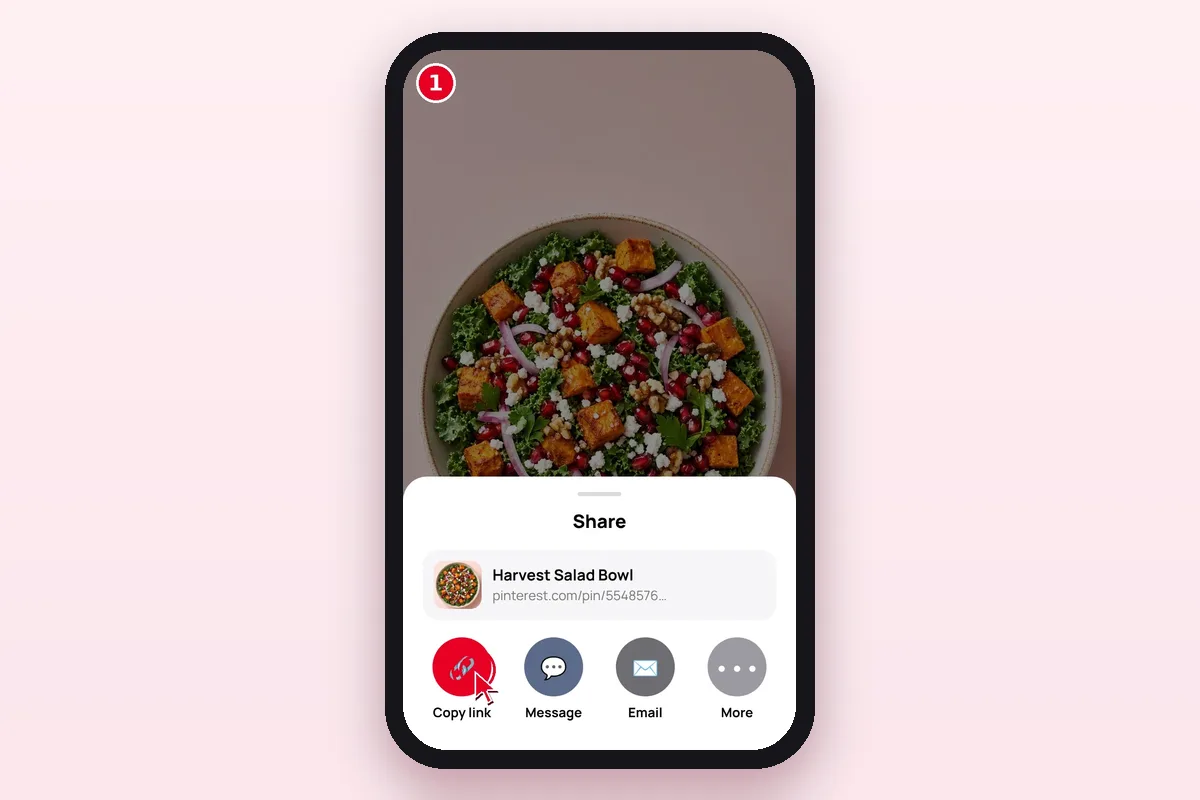
Step 1: Copy the Pin link
Open the Pin in the Pinterest app or website. Tap Share → Copy link, or copy the address bar on a computer.
Save Pinterest videos, images, GIFs and Idea Pins in their original quality — free and without watermark.
Paste a public Pinterest link above to see download options
Paste a public Pin link to save its video, image or GIF in the best quality Pinterest has — free, with no login and no watermark.
Works with public pins from pinterest.com (all country domains) and pin.it share links. Press Enter or tap the button to start.
It takes about ten seconds. No app, no login, no extension. Read the full guide →
Open the Pin in the Pinterest app or website. Tap Share → Copy link, or copy the address bar on a computer.
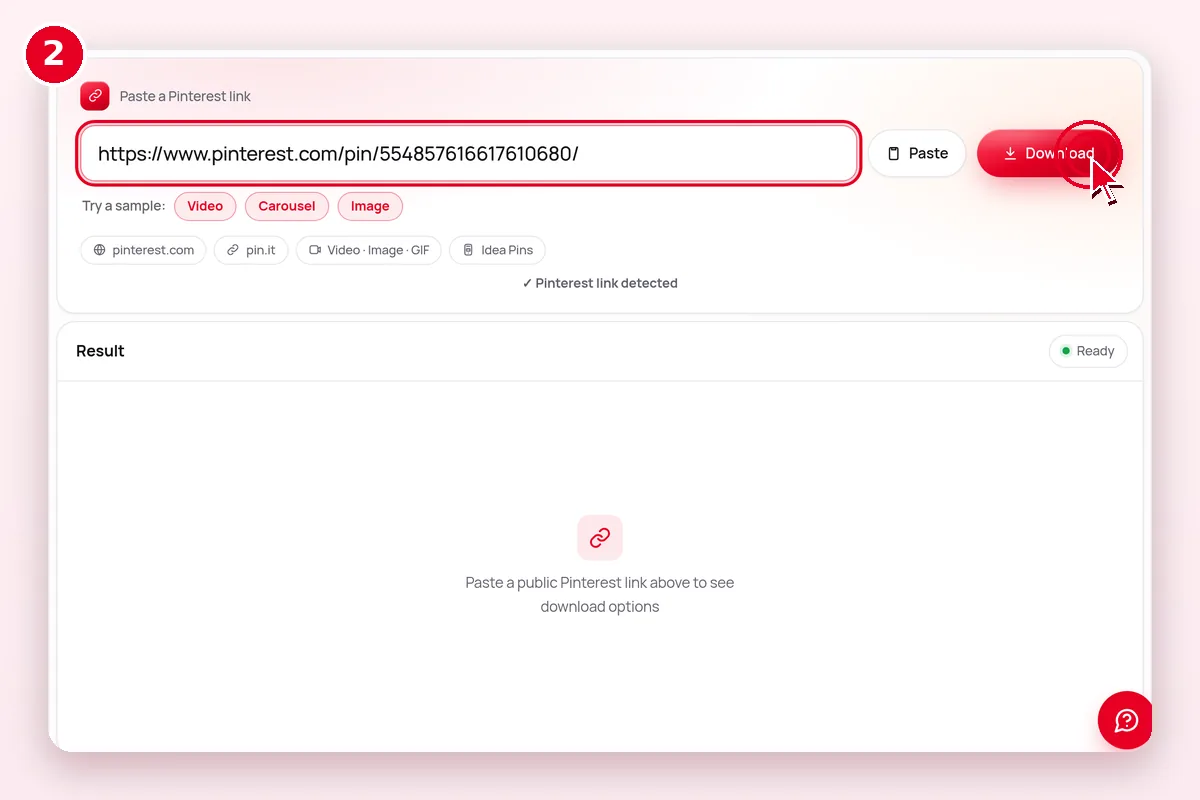
Paste the link into the box at the top of this page and tap Download. We find the files in a few seconds.
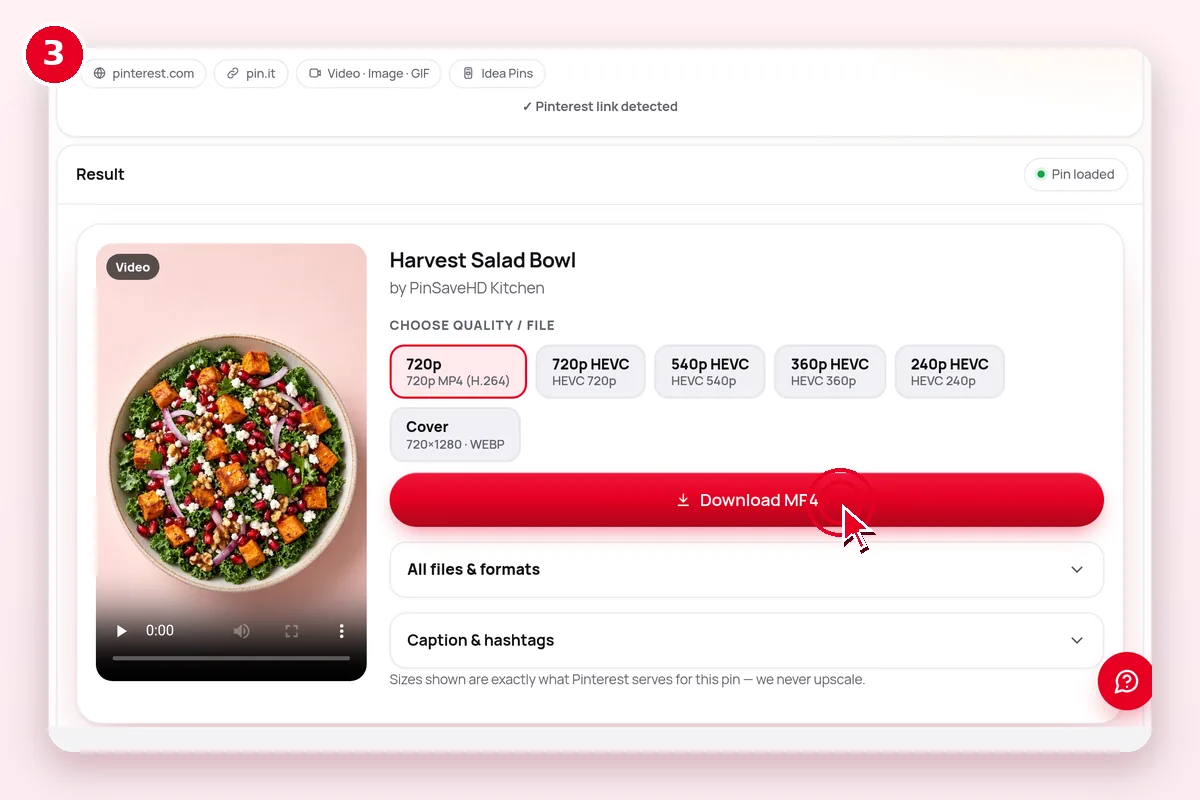
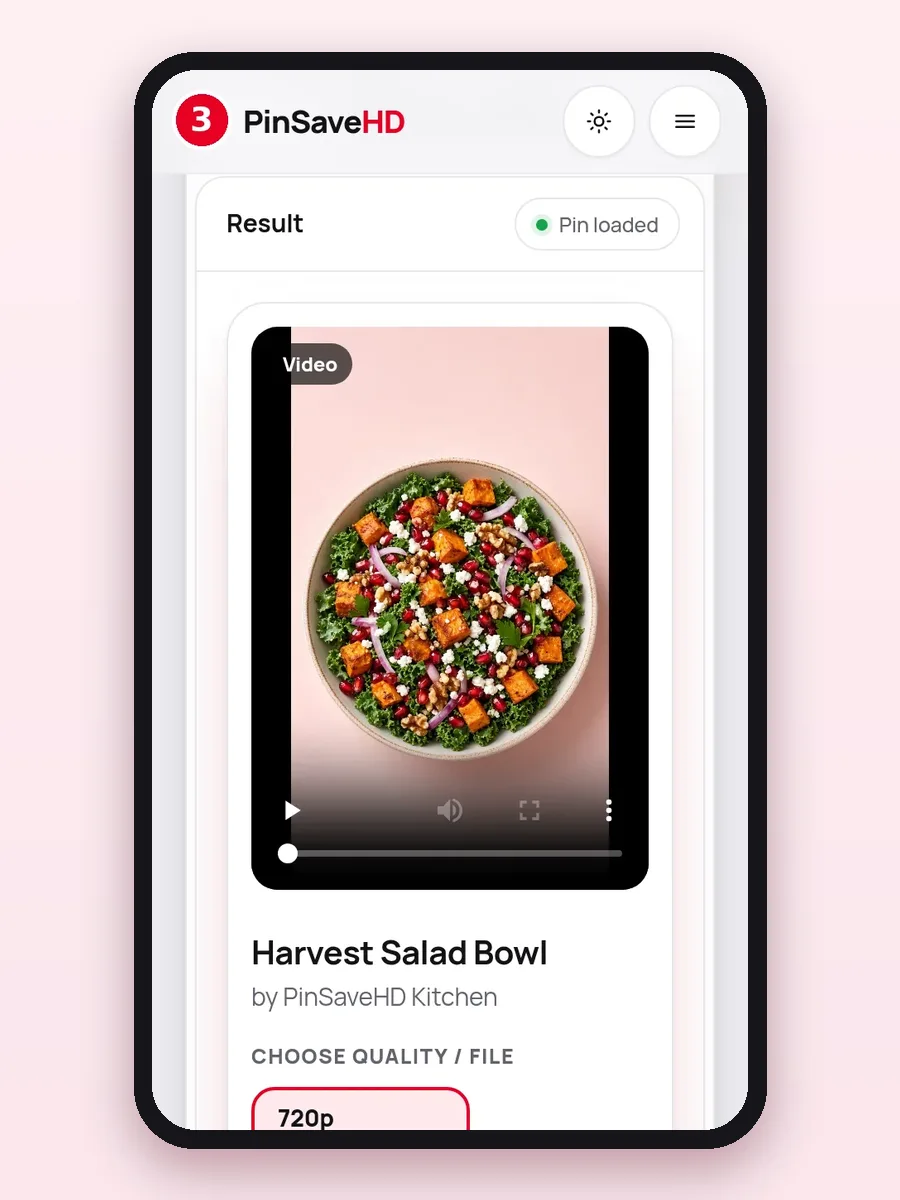
Each file shows its real size, like 720×1280. Pick the one you want and tap Download to save it.
Watch it work, start to finish
PinSaveHD runs in your web browser, so the steps are the same everywhere. Only the place your file lands changes.
 Android & iPhone
Copy the Pin link with Share → Copy link. Open this page in Chrome, paste the link and tap Download. The file goes to Downloads and shows up in Gallery or Google Photos.
Android guideCopy the Pin link in the Pinterest app. Open this page in Safari, paste and tap Download. Safari saves to Files › Downloads. To move a video to Photos, open it in Files, tap Share, then Save Video.
iPhone guide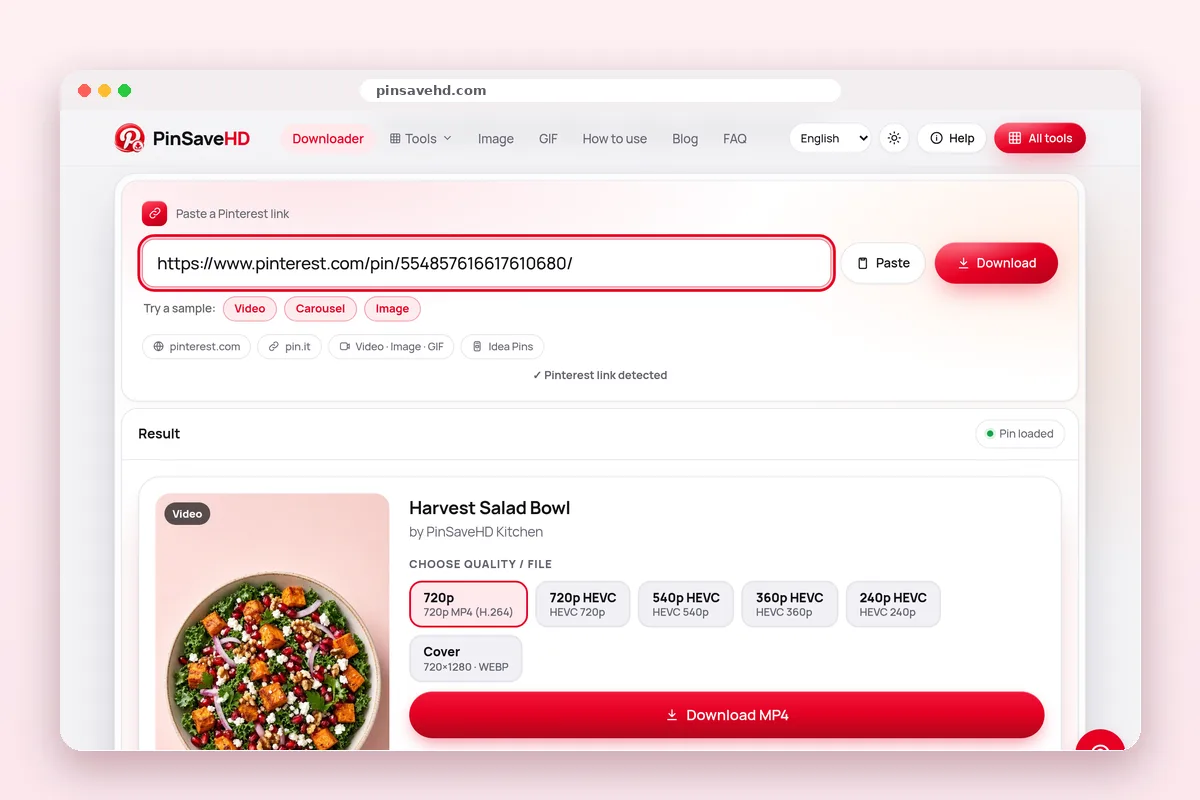 Windows, Mac & Chromebook
Open the Pin on pinterest.com and copy the address bar. Paste it here and press Enter. Click Download next to the size you want; files land in your Downloads folder. Chromebooks work the same way.
PC and Mac guideWe do not offer a browser extension, and you do not need one: PinSaveHD works right in your browser. For one-click saving on a computer, drag our free bookmarklet to your bookmarks bar. Nothing is installed and it cannot read your other tabs.
| Device | 1. Copy the link | 2. Where the file goes | Tip |
|---|---|---|---|
| iPhone / iPad | Pin → Share → Copy link | Files › Downloads (Safari) | Open the file, tap Share → Save Video/Image for Photos. iPhone guide |
| Android | Pin → Share → Copy link | Downloads folder, shows in Gallery | Use Chrome. Android guide |
| Windows / Mac | Copy the address bar URL | Downloads folder | Press Enter after pasting. PC & Mac guide |
| Chromebook | Copy the address bar URL | Files › Downloads | Drag files to Google Drive to back them up. |
Paste any public Pin and PinSaveHD works out what kind it is. Here is what each type gives you.
Video Pins save as MP4 files with sound. They play on every phone, computer and video editor. Each file shows its real size, like 720×1280, before you save it.
Video Downloader
You get the original upload, not the small 736-pixel preview from the feed. The format stays as the creator uploaded it. The Media Converter can turn WebP into JPG.
Image Downloader
GIF Pins save as real .gif files when Pinterest has one. Many also come with a smaller looping MP4, which is handy for chats and slides.
GIF Downloader
Idea Pins (once called Story Pins) can have many pages. You get every page as its own video or image, in order.
Idea Pin Downloader
Carousels hold 2 to 5 images. Save each slide at full size, or all of them in one go.
Carousel Downloader
Yes, these are supported. Paste a public board or profile link and get about the 50 most recent public Pins, zipped in your browser. Secret boards do not work.
Board Downloader
Need only the sound? Load a video Pin and tap MP3 in the file list. The audio is extracted in your browser at up to 192 kbps; nothing is uploaded. Or use Pinterest to MP3.
See MP3 status
| Pin type | What you get | File format | Size | Best tool |
|---|---|---|---|---|
| Video pin | The video with sound | MP4 (H.264, sometimes HEVC) | Often up to 720p; some 1080p | Video Downloader |
| Image pin | The original upload | JPG, PNG or WebP | Original size (not the 736px preview) | Image Downloader |
| GIF pin | The animation | GIF, or a looping MP4 | As uploaded | GIF Downloader |
| Idea Pin | Each page as a file | MP4 or image per page | Per page | Idea Pin Downloader |
| Carousel | Each slide as a file | JPG, PNG or WebP | Per slide | Carousel Downloader |
| Board / profile | Recent public pins | ZIP made in your browser | About 50 pins | Board Downloader |
You get the same file Pinterest stores. We show its real size and never relabel it.
Most videos top out at 720p (HD); some reach 1080p (Full HD). 2K or 4K only appears if the original upload had it, which is rare. We never upscale a file or call it “4K”.
No tool can add detail that isn’t in the file.
Videos already save as MP4 (mostly H.264, which plays everywhere). MP3 audio and MP4 → GIF now run right in your browser. WebP → JPG/PNG already works in the Media Converter.
| File option | What it means | Plays or opens on | Choose it when |
|---|---|---|---|
| MP4 · H.264 | Standard video file | Every phone, computer and editor | You want it to just work (default) |
| MP4 · HEVC (H.265) | Same look, smaller file | Recent iPhones, Macs, most new Android; Windows may need an extension | You want to save space |
| HLS (.m3u8) | A streaming playlist, not one file | Video players only | Not offered; we list the direct MP4 instead |
| JPG / PNG / WebP | Original image file | Everywhere (WebP: modern apps) | Saving image pins; convert WebP if needed |
| Cover JPG | Still thumbnail of a video | Everywhere | Mood boards and previews |
Sizes are read from the actual files. PinSaveHD never upscales or relabels a file as “4K”.
Paste a link to a single public Pin. Here is what works and what can’t.
| Content | Works? | Why |
|---|---|---|
| Public pins (pinterest.com, any country) | Yes | Visible to anyone without a login |
| pin.it short links | Yes | Expanded automatically |
| Public boards and profiles | Recent ~50 pins | Only what Pinterest shows logged-out visitors |
| Private / secret boards | No | Need a login; we never ask for one |
| Deleted pins | No | The files no longer exist |
| “4K” upgrades | No | Pinterest does not store 4K; we never upscale |
| MP3 audio, MP4 → GIF | Yes | Converted in your browser, up to 150 MB / 15 s GIF |
Simple, honest and free. Here’s what you get.
All 28 tools are free. No sign-up, no login. A fair-use limit of about 30 lookups a minute keeps it fair.
We never add a logo or text. You get the file as Pinterest serves it.
Safari, Chrome, Edge, Firefox and Samsung Internet, on phone or computer.
Every file is listed with its type and real size before you save.
Runs on Cloudflare’s global network; files stream straight from Pinterest. Speed still depends on your connection.
Pages are written in English. The language menu changes some interface labels only.
Yes. You never log in, nothing is installed, and files come straight from Pinterest.
We never ask for your Pinterest password. We only read Pins that anyone can see without logging in.
Videos and images stream from Pinterest to your device. We never save a copy. Read the privacy policy.
Saving is easy. Reusing needs permission. Please respect creators.
A Pin you can see is not a Pin you may repost. The creator keeps the copyright, even when the work is public.
Saving an idea for yourself is usually fine. Reposting, editing or using it in ads needs the owner’s OK. The Image Source Finder helps you credit them.
We don’t host Pinterest media, but we act on valid notices and block the URL from our tools. See our DMCA page.
Most problems have a quick fix. Start at the top.
Open the link in a private window where you’re logged out. If the Pin doesn’t show, it can’t be saved.
A Pin link has /pin/ or pin.it in it. For a board, use the Board Downloader.
Safari may play the MP4 in a tab. Tap Share → Save to Files. On a computer, right-click → Save video as.
Check Downloads (Files › Downloads on iPhone). Your browser’s download list shows the newest file first.
Big videos take longer on slow networks. Pause strict blockers for this site and refresh. “Too many requests” means wait 60 seconds.
Read Download not working?, check the status page, or contact us with the Pin link and error.
| Symptom | Likely cause | Fix |
|---|---|---|
| “Not a valid Pinterest link” | Copied text, or a search / ideas page | Use Share → Copy link; the link must contain /pin/ or pin.it |
| “Pin not found” or private | Pin is private, secret or deleted | Open it while logged out; if it does not show, it cannot be saved |
| “Too many requests” | Fair-use limit (~30 lookups a minute) | Wait 60 seconds and try again |
| Video plays instead of saving | Safari or the browser opened the MP4 | iPhone: Share → Save to Files. Computer: right-click → Save video as |
| No sound | Pin has no audio, or app-added licensed music | Nothing to fix; licensed music is not in the public file |
| File will not open | HEVC or WebP not supported by the app | Pick the H.264 MP4, or convert WebP with the Media Converter |
More fixes: Download not working?
An honest look at the common kinds of tools. We only claim what we can check.
| What matters | PinSaveHD | Browser extension | Screen recording |
|---|---|---|---|
| Install needed | Nothing | An extension | Built into most phones |
| Saves the original file | Yes | Usually | No, re-records it |
| Shows the real size first | Yes | Depends on the extension | No |
| Works on iPhone and Android | Yes | Mostly desktop only | Yes |
| Whole boards (ZIP) | ~50 recent pins | Some do | No |
We only state facts we can check about our own tool; the other columns describe how each method works in general.
Want nothing to install and honest file sizes? Use PinSaveHD in your browser, and add the bookmarklet on a computer for one-click saving. If you pick an extension or app, check its permissions, and be careful with any tool that wants your Pinterest password or promises 4K from every Pin. Read the full comparison.
Plain-English help, written and tested by our team.
 How to Copy a Pinterest Pin Link on Any DeviceWhere the Copy link button hides on iPhone, Android and desktop, which link formats downloaders accept, and how to spot a link that will fail.
 Pinterest Video Quality: 720p, HEVC, HLS & the 4K MythWhy most Pinterest videos max out at 720p, what H.264, HEVC and HLS mean, and how to choose the right file every time.
 Pinterest Downloader Not Working? 9 FixesA practical checklist for failed Pinterest downloads: private pins, wrong links, expired media, browser blockers, iPhone quirks and rate limits.
New tools that are live and working today:
 Pin CreatorMagic Pin, 120+ templates, 35 fonts and text effects — free, in your browser.Pin Image ResizerResize to 1000×1500 and other Pin sizes, in your browser.Video Size & Cover MakerCheck video specs and make a 2:3 cover image.Color Palette ExtractorGet HEX colours from any image.Pin QR Code MakerMake a QR code for any Pin or board.Character CounterCheck title, description and alt-text limits.Embed Code GeneratorEmbed Pins and boards on your own site.
New MP3 audio from video Pins · MP4 → GIF conversion, in your browser
We don’t show star ratings, user counts or testimonials we can’t prove.
Common requests (not quotes)
Tried PinSaveHD? Tell us what worked and what didn’t on the contact page or at PinSaveHD@proton.me.
Short, honest answers. More in the FAQ hub.
Ranked by Instagram followers. Counts checked 2 Nov 2026.
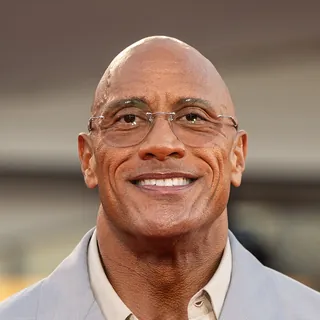
United States · Hollywood
American actor born in 1972, best known for Jumanji: Welcome to the Jungle and Moana. Honours include a star on the Hollywood Walk of Fame.
380M Instagram16M X
View on Instagram ↗
United States · Hollywood
Born in 1979, this American actor became a Hollywood favourite with Central Intelligence and Jumanji: Welcome to the Jungle. Among other honours, he has received a star on the Hollywood Walk of Fame.
172M Instagram31.3M X
View on Instagram ↗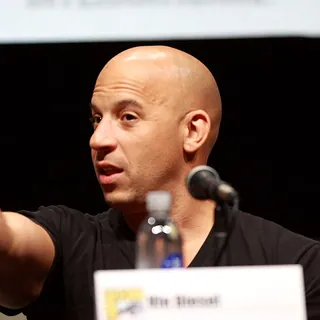
United States · Hollywood
An American actor (born 1967) whose best-known work includes Fast & Furious and Guardians of the Galaxy. Recognised with a star on the Hollywood Walk of Fame.
103M Instagram414K X
View on Instagram ↗
India · Bollywood
Indian actor born in 1965, best known for Bajrangi Bhaijaan and Tiger Zinda Hai. Honours include a Filmfare Award.
73M Instagram42.2M X
View on Instagram ↗
United Kingdom · Hollywood
Born in 1996, this British actor became a Hollywood favourite with Spider-Man: No Way Home and Uncharted. Among other honours, he has received a BAFTA award.
69M Instagram6.6M X
View on Instagram ↗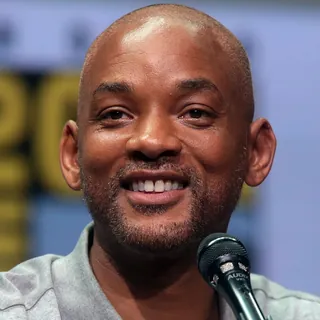
United States · Hollywood
An American actor (born 1968) whose best-known work includes Men in Black and King Richard. Recognised with an Academy Award.
67M Instagram229K X
View on Instagram ↗
India · Bollywood
Indian actor born in 1967, best known for Hera Pheri and Toilet: Ek Prem Katha. Honours include the Padma Shri.
65M Instagram44.2M X
View on Instagram ↗
United States · Hollywood
Born in 1974, this American actor became a Hollywood favourite with Titanic and The Revenant. Among other honours, he has received an Academy Award.
59M Instagram16.8M X
View on Instagram ↗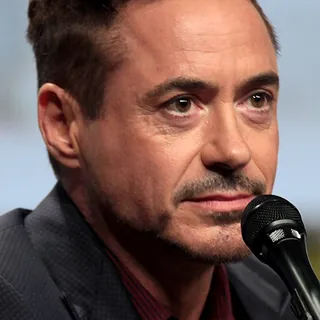
United States · Hollywood
An American actor (born 1965) whose best-known work includes Iron Man and Oppenheimer. Recognised with an Academy Award.
59M Instagram16.1M X
View on Instagram ↗
Australia · Hollywood
Australian actor born in 1983, best known for Thor and Extraction. Honours include an MTV Movie Award.
58M Instagram8.2M X
View on Instagram ↗
United States · Hollywood (also music)
An American actress (born 1992) whose best-known work includes Only Murders in the Building and Wizards of Waverly Place.
402M Instagram63.1M X
View on Instagram ↗
United States · Hollywood (also music)
American actress born in 1969, best known for Hustlers and Selena. Honours include a star on the Hollywood Walk of Fame.
240M Instagram35.4M X
View on Instagram ↗
United States · Hollywood
Born in 1996, this American actress became a Hollywood favourite with Euphoria and Dune. Among other honours, she has received a Golden Globe.
178M Instagram18.4M X
View on Instagram ↗
Israel · Hollywood
An Israeli actress (born 1985) whose best-known work includes Wonder Woman and Red Notice. Recognised with a star on the Hollywood Walk of Fame.
103M Instagram3.4M X
View on Instagram ↗
India · Bollywood / Hollywood
Indian actress born in 1982, best known for Quantico and Barfi!. Honours include the Padma Shri.
93M Instagram24.6M X
View on Instagram ↗
India · Bollywood
Born in 1987, this Indian actress became a Bollywood favourite with Aashiqui 2 and Stree 2. Among other honours, she has received a Screen Award.
92.7M Instagram13.3M X
View on Instagram ↗
India · Bollywood
An Indian actress (born 1993) whose best-known work includes Gangubai Kathiawadi and Raazi. Recognised with a National Film Award.
85M Instagram20M X
View on Instagram ↗
India · Bollywood
Indian actress born in 1983, best known for Ek Tha Tiger and Zindagi Na Milegi Dobara. Honours include an IIFA Award.
79M Instagram
View on Instagram ↗
India · Bollywood
Born in 1987, this Indian actress became a Bollywood favourite with Padmaavat and Pathaan. Among other honours, she has received the Filmfare Award for Best Actress.
78M Instagram23.3M X
View on Instagram ↗
United Kingdom · Hollywood
A British actress (born 1990) whose best-known work includes Harry Potter and Little Women. Recognised with a place on the TIME 100 list.
71M Instagram23.6M X
View on Instagram ↗