
Pin Image
Resizer
Resize or crop any image to the ideal Pinterest pin size — fill, fit or smart-blur — right in your browser.
- No sign-up
- No watermark
- Free to use
Your result will appear here
Upload an image from your device, or paste a public pin link.
Last updated · Reviewed by the PinSaveHD team · How we check facts
The PinSaveHD Pin Image Resizer crops and resizes an image to Pinterest sizes in your browser. Pinterest recommends a 2:3 ratio, or 1000×1500 pixels, for image pins. Pick a size, adjust the crop and download a JPG or PNG. This tool runs in your browser. Your text or files are not uploaded.
Key facts
- Pinterest recommends 2:3, or 1000×1500 px, for image pins.
- Pins taller than 2:3 may be cut off in feeds.
- Max image upload: 20 MB on desktop, 32 MB in the app.
- This tool runs in your browser. Your text or files are not uploaded.
How do I use the Pin Image Resizer?
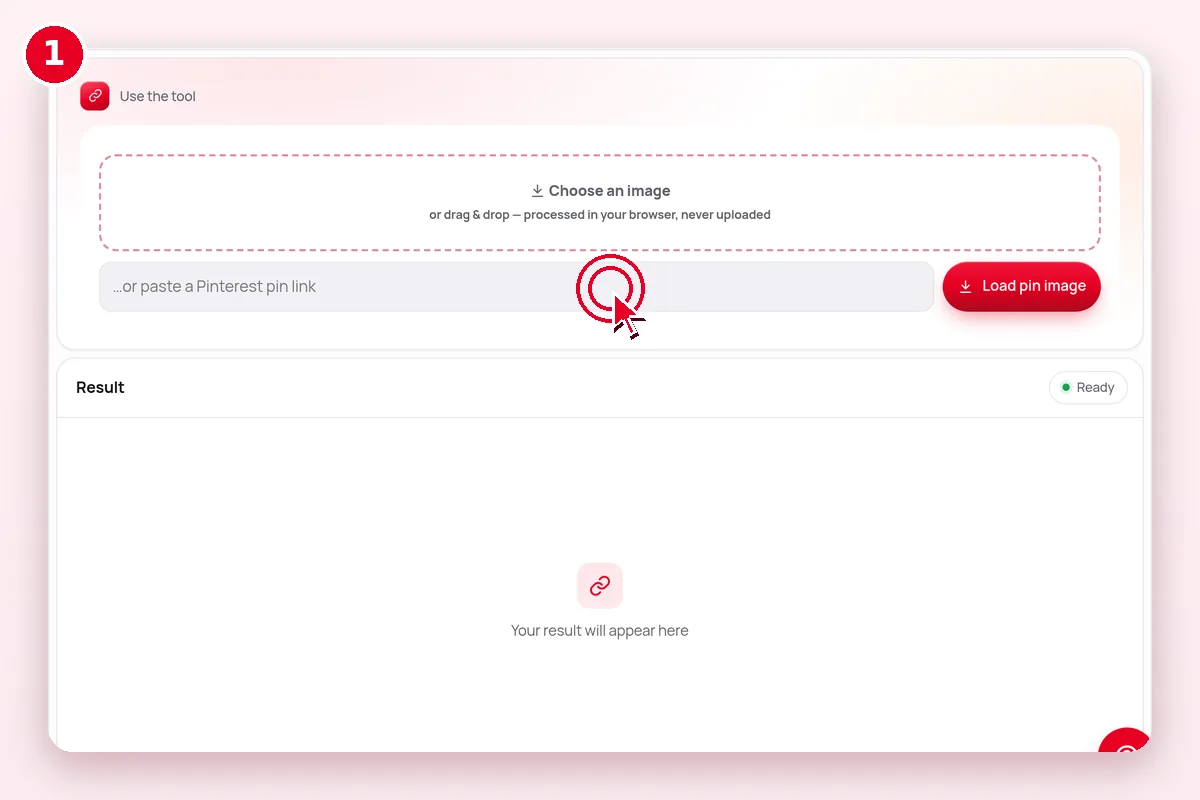 1
Choose an image
Upload a file or load a pin's original image.
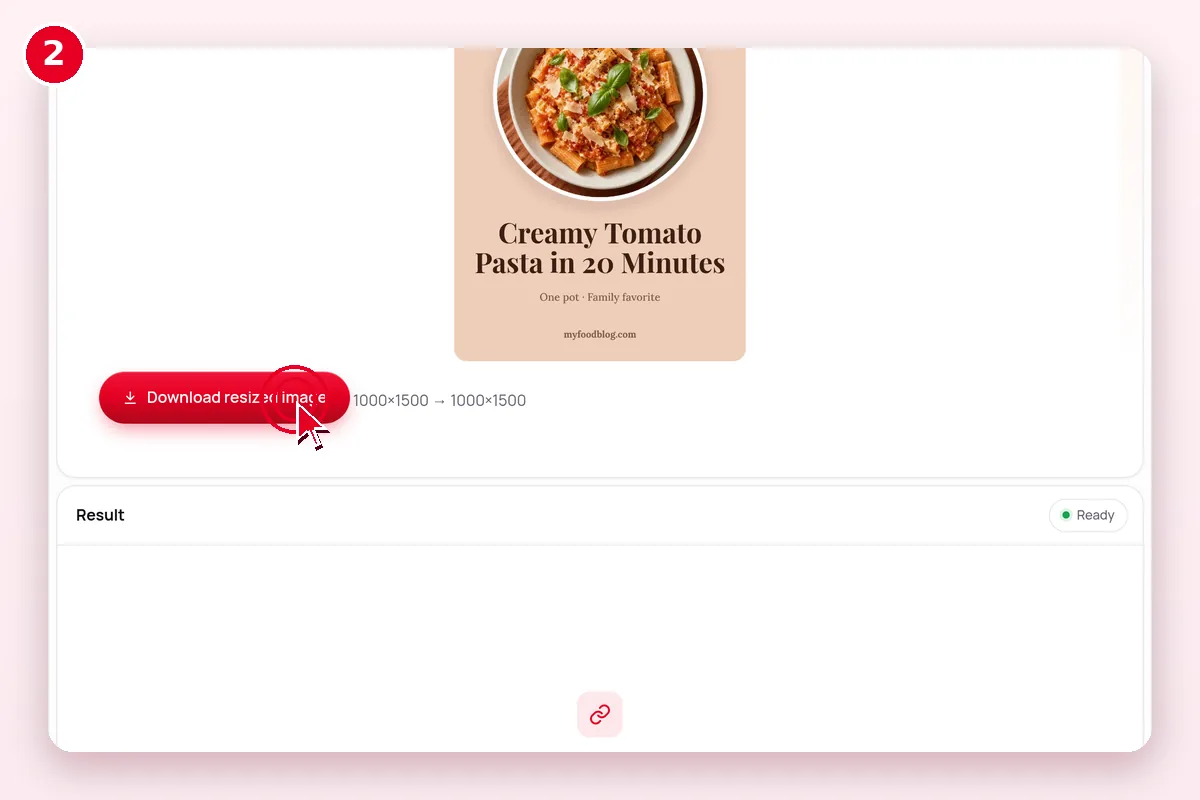 2
Pick a size
2:3 standard pin, square, long infographic, story or custom.
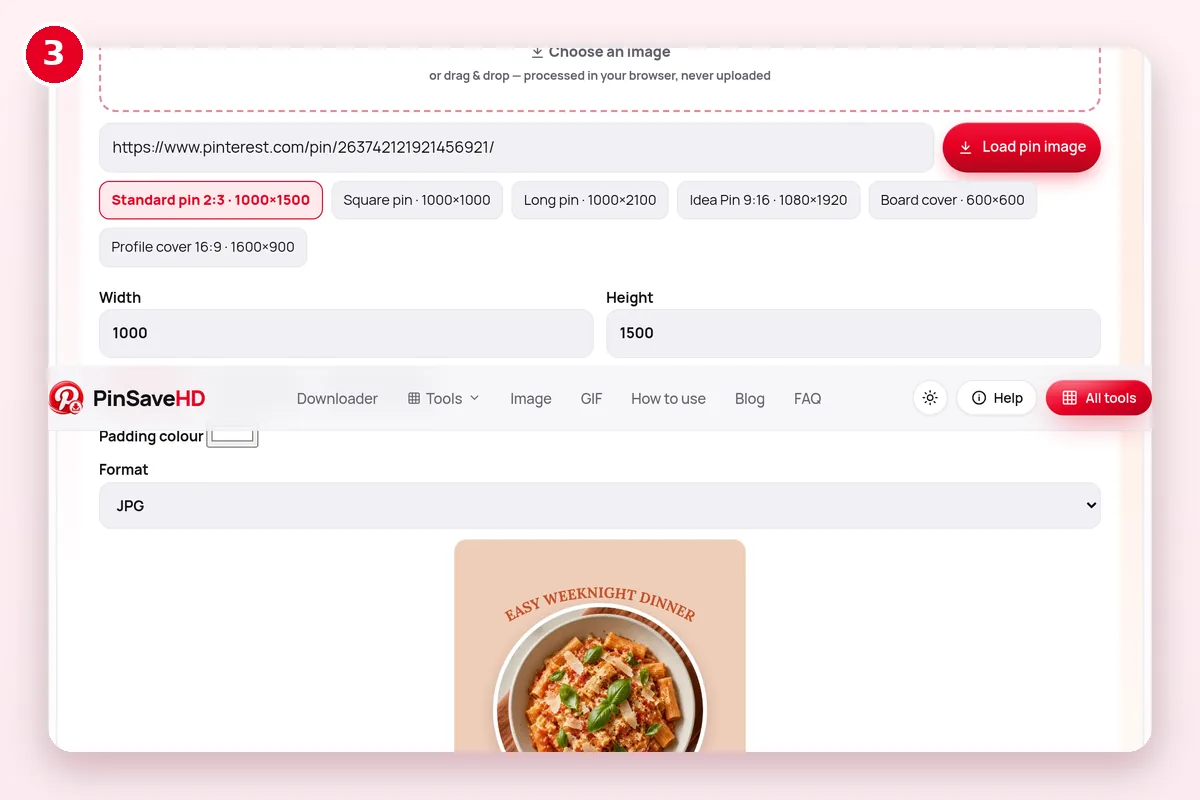 3
Download
Save as JPG, PNG or WebP.
What does the Pin Image Resizer do?
| Question | Answer |
|---|---|
| What goes in? | An image or pin link |
| What comes out? | Resized JPG/PNG (e.g. 1000×1500) |
| Where does it run? | In your browser |
| Cost | Free, no account |
| Limits | Public Pinterest content only |
What size should a Pinterest pin be?
Pinterest recommends a 2:3 image, 1000×1500 pixels. Video can be square or vertical.
| Format | Ratio / size | File types | Limits |
|---|---|---|---|
| Image pin | 2:3 recommended (1000×1500 px) | PNG or JPEG | 20 MB desktop, 32 MB in app; taller than 2:3 may be cut off |
| Video pin | 1:1, 2:3, 4:5 or 9:16 recommended | MP4, MOV, M4V (H.264/H.265) | Up to 2 GB; 4 seconds to 15 minutes |
| Carousel | 1:1 or 2:3 | PNG or JPEG | 2–5 images; 20 MB each |
| Full-screen (Idea) format | 9:16 (1080×1920 px) | Images; MP4/MOV/M4V video | Up to 5 minutes; 2 GB app, 100 MB web |
| Title | — | Text | 100 characters; first 40 may show in feeds |
| Description | — | Text | 800 characters |
Source: Pinterest Business Help – ad and Pin specs (checked 31 October 2026).
What if it doesn’t work?
| Symptom | Likely cause | Fix |
|---|---|---|
| Nothing happens | JavaScript blocked or an old browser | Update the browser and allow scripts for this site |
| Pin link not accepted | Search, ideas or private link | Open the single pin and copy its /pin/ link |
| Result looks blurry | Small source image | Start from the original image, not a preview |
| Download button does nothing on iPhone | Safari opened the file in a tab | Tap Share → Save to Files |
Related Pinterest tools
 Answers & Search HelperSave pins found in search
 Multiple Share LinksMany pin.it links at once
 Image Source FinderTrace who made an image
 Pin ID ExtractorIDs & clean links from URLs
 Media ConverterWebP→JPG/PNG · MP4→GIF
 pin.it ExpanderUnshorten pin.it links
Explore: all Pinterest tools · creator tools · guides · FAQ hub · how-to guide · Pinterest glossary · use cases · blog
Guides for this tool
More on pinterest images and formats:
- Pinterest File Formats: MP4, JPG, PNG, WebP, GIF
- Pinterest Image Sizes 2026: Cheat Sheet
- Turn Pinterest Pins Into Real Colour Palettes
- How to Find the Original Source of a Pinterest Image
Questions? See the Pinterest downloader FAQ or download troubleshooting.
Frequently asked questions
What is the best Pinterest pin size?
Pinterest recommends 1000×1500 pixels (a 2:3 ratio). Taller pins may be cut off in the feed.
Does resizing lower quality?
Shrinking keeps it sharp. Enlarging a small image makes it softer, so start with a large original.
Is this tool free?
Yes. Every PinSaveHD tool is free and needs no account.
Do I need a Pinterest account?
No. You never sign in to Pinterest through us.
Do I need to install anything?
No. It works in any modern browser on phone or computer.
Pinterest facts on this page come from Pinterest’s official specs page. Copyright: Pinterest copyright policy.